Save your listening setup.
Create scenes for focus, meetings, or winding down. Group app controls and pin the ones you reach for most.
Made for your Mac
Turn down the distraction. Keep the conversation clear. Decibud puts supported apps’ volume controls together in your menu bar.
$19.99 once. No subscription. Coming to the Mac App Store.
Apple silicon · macOS 15 or later
Explore how it works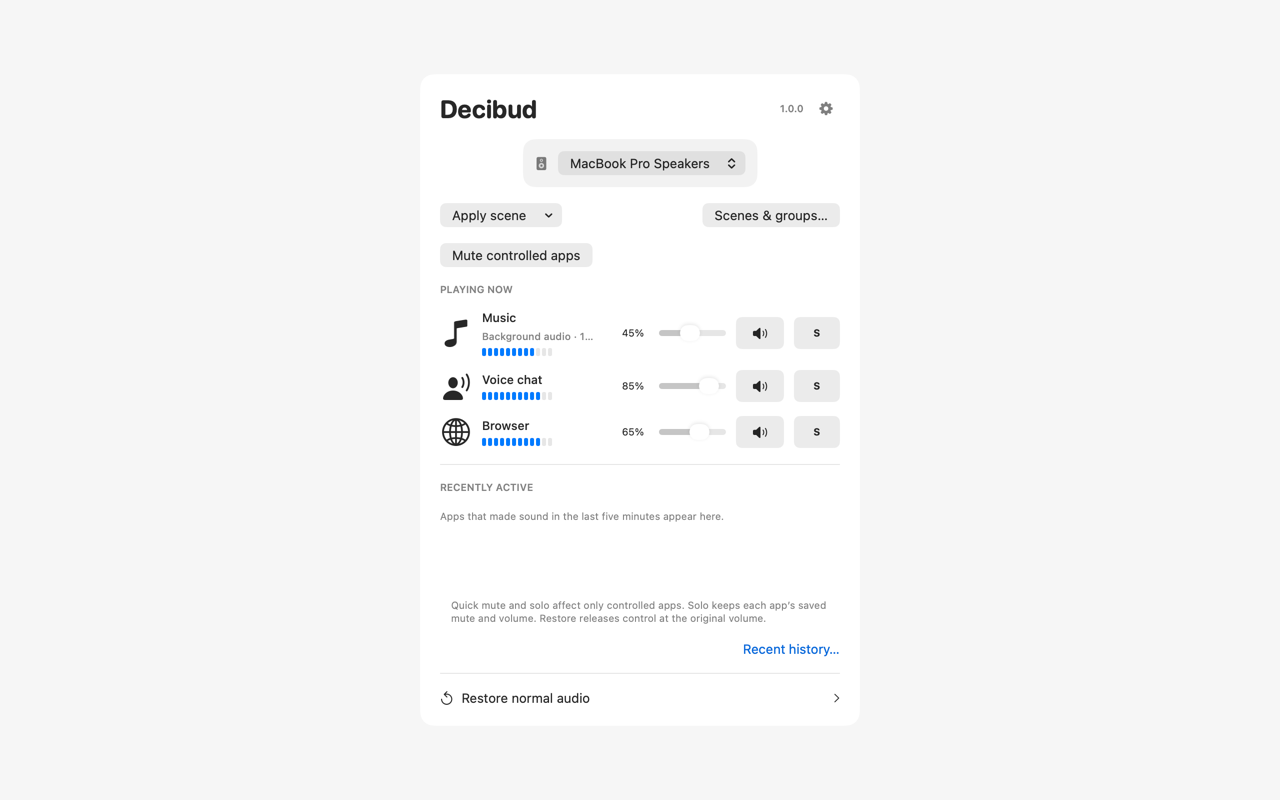
Discover active audio sources, then adjust supported apps without turning down everything else. Mute a distraction, change stereo balance, or shape a source with a three-band equalizer.
Create scenes for focus, meetings, or winding down. Group app controls and pin the ones you reach for most.
Open the panel from the menu bar or with a configurable shortcut. Optional restoration remembers selected controls when your session changes.
Audio is processed on your Mac. Decibud does not record or upload it. Optional recent history stores source names and times, never audio.
macOS audio-capture permission is required for audio discovery and control. Available controls depend on the source app, output device, and audio format. Some sources remain monitor-only. Software volume is not a hearing-protection system.